Mini Six - Odds of Hitting a Target Number (colorized)
Somebody took my table of Mini Six Odds of Hitting a Target Number and colorized it!
Random musings on books, code, and tabletop games.
Somebody took my table of Mini Six Odds of Hitting a Target Number and colorized it!
I updated the NCURSES PROGRAMMING HOWTO from The Linux Documentation Project slightly so the example programs would compile with modern compilers and my pull request was accepted in January 2025, but unfortunately the updated version has not made it online at TLDP.org. So I decided to put it online here:
As a single HTML file, and
The Ada Quality and Style: Guidelines for Professional Programmers is available on the web, but I don't think that there is a PDF copy anywhere easily found, so I'm making a copy available here. This is the style guide for Ada 83, by the way. I got it from the Ada Information Clearinghouse. I downloaded the file style-ps.zip into a temporary directory and then ran the shell script make-83style-pdf.sh to create the PDF file:
#! /usr/bin/env bash
# First, unzip style-ps.zip.  Then, in another directory, unzip all six of
# those zip files.  Then do the following:
set -x
mkdir tmp &&
    cd tmp &&
    unzip -L ../style-ps.zip &&
    mkdir tmp &&
    cd tmp &&
    for i in ../*.zip; do unzip -L $i; done  &&
    for i in *.ps; do ps2pdf $i $(basename $i .ps).pdf; done &&
    qpdf --empty -pages covers.pdf 1-3 -- covers_fixed.pdf &&
    pdfunite covers_fixed.pdf preface.pdf ack.pdf toc.pdf intro.pdf source_c.pdf readabil.pdf prog_str.pdf prog_pra.pdf concurr.pdf portabil.pdf reuse.pdf performa.pdf complete.pdf appendix.pdf ref.pdf bib_0188.pdf index.pdf 83style.pdf
Note the qpdf command? That pulls out the first three pages of covers.pdf, because the other pages duplicate stuff that is in the other .pdf files.
Then I read through the PDF and made a bookmarks file for use with jpdfbookmarks (I use one of the releases from this github repo):
Ada Quality and Style/1
        Cover 1/1
        Cover 2/2
        Preface/4
        Authors and Acknowledgements/6
        Contents/8
        Chapter 1: Introduction/10
                1.1 How to use this book/11
                1.2 To the new Ada programmer/11
                1.3 To the experienced Ada programmer/12
                1.4 To the software project manager/12
                1.5 to contracting agencies and standards organizations/13
        Chapter 2: Source Code Presentation/14
                2.1 Code formatting/14
                        2.1.1 Horizontal spacing/14
                        2.1.2 Indentation/15
                        2.1.3 Alignment of operators/18
                        2.1.4 Alignment of declarations/19
                        2.1.5 More on alignmeent/20
                        2.1.6 Blank lines/21
                        2.1.7 Pagination/22
                        2.1.8 Number of statements per line/23
                        2.1.9 Source code line length/24
                2.2 Summary/24
        Chapter 3: Readability/26
                3.1 Spelling/26
                        3.1.1 Use of underscores/26
                        3.1.2 Numbers/26
                        3.1.3 Capitalization/27
                        3.1.4 Abbreviations/28
                3.2 Naming conventions/29
                        3.2.1 Names/29
                        3.2.2 Type names/29
                        3.2.3 Object names/30
                        3.2.4 Program unit names/31
                        3.2.5 Constants and named numbers/32
                3.3 Comments/33
                        3.3.1 General comments/34
                        3.3.2 File headers/35
                        3.3.3 Program unit specification header/35
                        3.3.4 Program unit body header/38
                        3.3.5 Data comments/39
                        3.3.6 Statement comments/41
                        3.3.7 Marker comments/43
                3.4 Using types/44
                        3.4.1 Declaring types/44
                        3.4.2 Enumeration types/45
                3.5 Summary/46
        Chapter 4: Program Structure/50
                4.1 High level structure/50
                        4.1.1 Separate compilation capabilities/50
                        4.1.2 Subprograms/51
                        4.1.3 Functions/52
                        4.1.4 Packages/53
                        4.1.5 Cohesion/53
                        4.1.6 Data coupling/54
                        4.1.7 Tasks/54
                4.2 Visibility/55
                        4.2.1 Minimization of interfaces/55
                        4.2.2 Nested packages/56
                        4.2.3 Restricting visibility/56
                        4.2.4 Hiding tasks/57
                4.3 Exceptions/59
                        4.3.1 Using exceptions to help define an abstraction/59
                4.4 Summary/61
        Chapter 5: Programming Practices/64
                5.1 Optional parts of the syntax/64
                        5.1.1 Loop names/64
                        5.1.2 Block names/65
                        5.1.3 Exit statements/66
                        5.1.4 Naming end statemnts/66
                5.2 Parameter lists/67
                        5.2.1 Formal parameters/67
                        5.2.2 Named association/67
                        5.2.33 Default parameters/68
                        5.2.4 Mode indication/69
                5.3 Types/69
                        5.3.1 Derived types and subtypes/69
                        5.3.2 Anonymous types/71
                        5.3.3 Private types/71
                5.4 Data structures/72
                        5.4.1 Heeterogeneous data/72
                        5.4.2 Nested records/73
                        5.4.3 Dynamic data/74
                5.5 Expressions/75
                        5.5.1 Range values/75
                        5.5.2 Array attributes/76
                        5.5.3 Parenthetical expressions/76
                        5.5.4 Positive forms of logic/77
                        5.5.5 Short circuit forms of the logical operators/77
                        5.5.6 Accuracy of operations with real operands/78
                5.6 Statements/78
                        5.6.1 Nesting/78
                        5.6.2 Slices/80
                        5.6.3 Case statements/80
                        5.6.4 Loops/81
                        5.6.5 Exit statements/82
                        5.6.6 Recursion and iteration bounds/83
                        5.6.8 Return statements/84
                        5.6.9 Blocks/85
                        5.6.10 Aggregates/86
                5.7 Visibility/86
                        5.7.1 The use clause/87
                        5.7.2 The renames clause/88
                        5.7.3 Overloaded subprograms/88
                        5.7.4 Overloaded operators/89
                        5.7.5 Overloading the equality operator/89
                5.8 Using exceptions/89
                        5.8.1 Handling versus avoiding exceptions/90
                        5.8.2 Handlers for others/90
                        5.8.3 Propagation/91
                        5.8.4 Localizing the causes of an exception/91
                5.9 Erroneous Execution/92
                        5.9.1 Unchecked conversion/92
                        5.9.2 Unchecked deallocation/93
                        5.9.3 Dependeence on parameter passing mechanism/93
                        5.9.4 Multiple address clauses/94
                        5.9.5 Suppression of exception check/94
                        5.9.6 Initialization/94
                        5.9.7 Direct_IO and Sequential_IO/95
                        5.9.8 Incorrect order dependencies/96
                5.10 Summary/96
        Chapter 6: Concurrency/100
                6.1 Tasking/100
                        6.1.1 Tasks/100
                        6.1.2 Anonymous task types/101
                        6.1.3 Dynamic tasks/102
                        6.1.4 Prioritis/103
                        6.1.5 Delay statements/104
                6.2 Commmunication/105
                        6.2.1 Effecient task communications/105
                        6.2.2 Defensive task communication/106
                        6.2.3 Attributes 'Count, 'Callable, and 'Terminated/108
                        6.2.4 Shared variables/109
                        6.2.5 Tenative rendezvous constructs/111
                        6.2.6 Commmunication complexity/112
                6.3 Termination/113
                        6.1.1 Avoiding termination/113
                        6.3.2 Normal termination/114
                        6.3.3 The abort statement/115
                        6.3.4 Abnormal termination/115
                6.4 Summary/116
        Chapter 7: Portability/118
                7.1 Fundamentals/119
                        7.1.1 Global assumptions/119
                        7.1.2 Actual limits/120
                        7.1.3 Comments/120
                        7.1.4 Main subprogram/121
                        7.1.5 Encapsulating implementation dependencies/121
                        7.1.6 Implementation-added features/122
                7.2 Numeric types and expressions/122
                        7.2.1 Predefined numeric types/122
                        7.2.2 Ada model/123
                        7.2.3 Analysis/123
                        7.2.4 Accuracy Constraints/124
                        7.2.5 Comments/124
                        7.2.6 Precision of constants/124
                        7.2.7 Subexpression evaluation/124
                        7.2.8 Relational tests/124
                7.3 Storage control/125
                        7.3.1 Representation clause/125
                7.4 Tasking/126
                        7.4.1 Task activation order/126
                        7.4.2 Delay statements/126
                        7.4.3 Package Calendar, type Duration, and System.Tick/126
                        7.4.4 Select statement evaluation ordr/126
                        7.4.5 Task scheduling algorithm/127
                        7.4.6 Abort/127
                        7.4.7 Shared variables and pragma shared/127
                7.5 Exceptions/127
                        7.5.1 Predefined exceptions/127
                        7.5.2 Constraint_Error and Numeric_Error/128
                        7.5.3 Implementation-defined exceptions/128
                7.6 Representationi clauses and implementation dependent features/128
                        7.6.1 Representation clauses/129
                        7.6.2 Package System/129
                        7.6.3 Machine code inserts/129
                        7.6.4 Interfacing Foreign Languages/130
                        7.6.5 Implementation-defined pragmas and attributes/130
                        7.6.6 Unchecked deallocation/130
                        7.6.7 Unchecked conversion/131
                7.7 Input/output/131
                        7.7.1 Name and Form parameters/132
                        7.7.2 File closing/132
                        7.7.3 I/O on access types/132
                        7.7.4 Package Low_Level_IO/132
                7.8 Summmary/133
        Chapter 8: Reusability/136
                8.1 Understanding and clarity/137
                        8.1.1 Application-independent naming/137
                        8.1.2 Abbreviations/138
                        8.1.3 Generic formal parameters/139
                8.2 Robustness/139
                        8.2.1 Named numbers/139
                        8.2.2 Unconstrained arrays/140
                        8.2.3 Assumptions/140
                        8.2.4 Subtypes in generic specifications/141
                        8.2.5 Overloading in generic units/143
                        8.2.6 Hidden tasks/143
                        8.2.7 Exceptions/143
                8.3 Adaptability/145
                        8.3.1 Complete functionality/145
                        8.3.2 Generic units/146
                        8.3.3 Using generic units to encapsulate algorithms/146
                        8.3.4 Using generic units for abstract data types/148
                        8.3.5 Iterators/151
                        8.3.6 Private and limited private types/154
                8.4 Independence/156
                        8.4.1 Using generic parameters to reduce coupling/156
                        8.4.2 Coupling due to pragmas/157
                        8.4.3 Part families/158
                        8.4.4 Conditional compilation/158
                        8.4.5 Table-driven programming/159
                8.5 Summary/160
        Chapter 9: Performance/162
                9.1 Improving exception speed/162
                        9.1.1 Pragma inline/162
                        9.1.2 Blocks/163
                        9.1.3 Arrays/163
                        9.1.4 Mod and rem operators/164
                        9.1.5 Constraint checking/164
                9.2 Summmary/165
        Chapter 10: Complete Examples/166
                10.1 Menu-driven user interface/166
                10.2 Line-oriented portablee dining philosophers example/174
                10.3 Window-oriented portable dining philosophers example/179
        Appendix A: Map from Ada Language Referencee Manual to Guidelines/188
        References/194
        Bibliography/198
        Index/202
Then I ran another shell script, build-bookmarks.sh:
#! /usr/bin/env bash

jpdfbookmarks -f tmp/tmp/83style.pdf --apply 83style.bookmarks --out 83style.pdf
There is a PDF of the style guide for Ada 95 online, but the links to the other formats listed on the Ada 95 Documents page have bit rotted, alas.
Right, So, I've talked about how the LBL Software Tools Virtual Operating System organized its source files, using its archiver to collect all the source files, etc. for a program into an archive (sometimes with nested archives, because RECURSION IS NEAT) and then putting the archive under revision control using the TCS commands admin, delta, and get.
And that makes a lot of sense when what you are working on is one program or another closely related collection of information. But what if you are working on a collection of individual or nearly individual programs? Or what if your program is large enough that putting all its source in a single archive runs up against size limits in the SWTOOLS programs? Remember, they were meant to run on the 16 bit minicomputers of the day, as well as the 32 bit minicomputers that showed up soon after the SWTOOLS VOS was written, so there is a limit on the number of lines in a file that these can handle somewhere between 10,000 and 15,000 lines. What do you do then?
Well, today I wrote a set of commands to make it easy to work with a collection of source files, which each have a corresponding TCS history file in the subdirectory [.TCS]. I decided to have one DCL command procedure whose first parameter was the command to execute, so the common processing could be shared instead of duplicated between programs. But I had already written a program to compare a current source file inn the working directory with an older version in a TCS revision file. Hmm.
Anyway, I went on to write the tcs command as a front end
for the normal TCS commands. Here's an example from running
TCS HELP
$ tcs help
usage:
tcs [ help | -h | -help | -? ]
      Output this help message.

tcs admin FILE

      Initialize TCS file [.TCS]FILE from FILE.

tcs get [-oOUTFILE] [-h] [-rM.N] FILE

      Get a revision of FILE from TCS file [.TCS]FILE.

          -oOUTFILE writes the output to OUTFILE.
              If -o is not specifed the output goes to standard output.

          -h Output history information instead of a revision.

          -rM.N Output revision M.N.

tcs delta FILE

      Add a new version to TCS file [.TCS]FILE from FILE.

tcs outdated

      List all the source files that are newer than their corresponding
      TCS file in [.TCS]

tcs uncovered [FILESPEC] [IGNOREDTYPES]

      List all the files in the current directory that do not have
      corresponding files in [.TCS].

      If FILEPSEC is specified it should be a VMS wildcard that
      will be applied to the current directory for matching.

      If IGNOREDTYPES is specified it should be a single file type
      (without the ".") or a comma separated list of file types
      to be ignored.

      If one needs to specified IGNOREDTYPES but not FILESPEC just
      specify an empty string for FILESPEC.
And here is the current source code of TCS.SDCL:
!> TCS.SDCL -- TCS frontend.
##############################################################################
###
### tcs [ help | -h | -help | -? ]
### tcs admin FILE
### tcs get [-ooutfile] [-h] [-rM.N] FILE
### tcs delta FILE
### tcs outdated
### tcs uncovered [FILESPEC] [IGNOREDTYPES]
###
##############################################################################
    wso :== write sys$output
    wse :== write sys$error
    TRUE = 1 .eq. 1
    FALSE = 1 .ne. 1
    QUIET = %x10000000

    months_jan = "01"
    months_feb = "02"
    months_mar = "03"
    months_apr = "04"
    months_may = "05"
    months_jun = "06"
    months_jul = "07"
    months_aug = "08"
    months_sep = "09"
    months_oct = "10"
    months_nov = "11"
    months_dec = "12"

    debugging = f$type (tcs_debugging) .nes. ""
    verbose = FALSE

    command = p1

    if (command .eqs. "HELP" .or.
        command .eqs. "-H" .or.
        command .eqs. "-HELP" .or.
        command .eqs. "-?")
    {
        goto usage
    }

    if ((command .eqs. "") .or.
        .not. (command .eqs. "ADMIN" .or.
               command .eqs. "GET" .or.
               command .eqs. "DELTA" .or.
               command .eqs. "OUTDATED" .or.
               command .eqs. "UNCOVERED"))
    {
        wse "tcs: unrecognized TCS command: """, command, """"
        exit 2
    }

    param_idx = 2
    num_options = 0
    outfile = ""
    while (f$extract (0, 1, p'param_idx') .eqs. "-") {
         ## Remember, DCL upcases everything!
        if (f$extract (0, 2, p'param_idx') .eqs. "-O") {
            outfile = f$extract (2, f$length (p'param_idx'), p'param_idx')
        } else {
            num_options = num_options + 1
            options_'num_options' = p'param_idx'
        }
        param_idx = param_idx + 1
    }

    file = p'param_idx'                         # Can be blank
    dirname = f$search ("TCS.DIR")
    if (dirname .eqs. "") {             # No [.TCS] directory.
        create/dir [.TCS]
    }

    tcsfile = "[.tcs]" + file + "-TCS"  # Not used by some commands.

    if (debugging) {
        wso "command: ", command, " file: ", file, " tcsfile: ", tcsfile
        wso "outfile: """, outfile, """"
    }

    if (command .eqs. "ADMIN") {
        goto do_admin
    } else if (command .eqs. "GET") {
        goto do_get
    } else if (command .eqs. "DELTA") {
        goto do_delta
    } else if (command .eqs. "OUTDATED") {
        goto do_outdated
    } else if (command .eqs. "UNCOVERED") {
        goto do_uncovered
    }
    wso "tcs: This should be impossible, so somebody screwed up.  Exiting."
    exit 2 .or. QUIET


do_admin:
    result = f$search (tcsfile)
    if (result .nes. "") {
        wse "tcs: TCS file ", tcsfile, " already exists, exiting."
        exit 2
    }
    file = f$edit (file, "LOWERCASE")
    dclcmd = "admin ""-i''file'"" ''tcsfile'"
    wso "Executing ", dclcmd
    define/user sys$input sys$command
    'dclcmd'
    exit


do_get:
    if (outfile .eqs. "") {
        get 'options_1' 'options_2' 'options_3' 'options_4' 'tcsfile'
    } else {
        get 'options_1' 'options_2' 'options_3' 'options_4' 'tcsfile' >'outfile'
    }
    exit

do_delta:
    result = f$search (tcsfile)
    if (result .eqs. "") {
        wse "tcs: TCS file ", tcsfile, " does not exist, exiting."
        exit 2
    }
    define/user sys$input sys$command
    delta 'file' 'tcsfile'
    exit


do_outdated:
    filespec = "[.tcs]*.*-tcs"
    repeat {
        tcsfile = f$search (filespec)
        if (tcsfile .eqs. "") break
        tcsrdt = f$file (tcsfile, "RDT")
        tcs_day     = f$extract (00, 02, tcsrdt)
        tcs_monname = f$extract (03, 03, tcsrdt)
        tcs_year    = f$extract (07, 04, tcsrdt)
        tcs_rest    = f$extract (11, 12, tcsrdt)
        tcs_monnum  = months_'tcs_monname'
        tcs_cmpdate = tcs_year + tcs_monnum + tcs_day + tcs_rest
        if (debugging .and. verbose) wso "tcs_cmpdate: ", tcs_cmpdate
        dirname = f$parse (tcsfile,,, "DIRECTORY") - ".TCS]" + "]"
        filename = f$parse (tcsfile,,, "NAME")
        filetype = f$parse (tcsfile,,, "TYPE") - "-TCS"
        srcfile = filename + filetype
        srcrdt = f$file (srcfile, "RDT")
        src_day     = f$extract (00, 02, srcrdt)
        src_monname = f$extract (03, 03, srcrdt)
        src_year    = f$extract (07, 04, srcrdt)
        src_rest    = f$extract (11, 12, srcrdt)
        src_monnum  = months_'src_monname'
        src_cmpdate = src_year + src_monnum + src_day + src_rest
        if (debugging .and. verbose) wso "src_cmpdate: ", src_cmpdate
        if (src_cmpdate .gts. tcs_cmpdate) wso srcfile, " is newer than ", tcsfile
    }
    exit


do_uncovered:
    i = param_idx + 1
    ignoredtypes = p'i'
    if (ignoredtypes .nes. "") ignoredtypes = "," + ignoredtypes
    if (debugging) wse "ignoredtypes: ", ignoredtypes
    ignoredtypes_len = f$length (ignoredtypes)
    if (file .eqs. "") filespec = "*.*"
    else filespec = file
    if (debugging) wse "filespec: ", filespec
    old_result = ""
    repeat {
        result = f$search (filespec, 1)
        if (debugging) wso "result: ", result
        # No more results
        if (result .eqs. "") break
        # No wildcard specified
        if (result .eqs. old_result) break
        old_result = result
        filename = f$parse (result,,, "NAME")
        filetype = f$parse (result,,, "TYPE")
        file = filename + filetype
        # Ignore directories
        if (filetype .eqs. ".DIR") next
        # Skip the ignored file types.
        skip = "," + (filetype - ".")
        if (debugging) wse "skip: ", skip, " ignoredtypes: ", ignoredtypes
        if (f$locate (skip, ignoredtypes) .ne. ignoredtypes_len) {
            if (debugging) wse "Skipping ", file
            next
        }
        tcsfile = "[.TCS]" + file + "-TCS"
        if (f$search (tcsfile) .eqs. "")
            wso file, " does not have a ", tcsfile
    }
    exit


usage:
    copy sys$input sys$output
//usage:
//tcs [ help | -h | -help | -? ]
//      Output this help message.
//
//tcs admin FILE
//
//      Initialize TCS file [.TCS]FILE from FILE.
//
//tcs get [-oOUTFILE] [-h] [-rM.N] FILE
//
//      Get a revision of FILE from TCS file [.TCS]FILE.
//
//          -oOUTFILE writes the output to OUTFILE.
//              If -o is not specifed the output goes to standard output.
//
//          -h Output history information instead of a revision.
//
//          -rM.N Output revision M.N.
//
//tcs delta FILE
//
//      Add a new version to TCS file [.TCS]FILE from FILE.
//
//tcs outdated
//
//      List all the source files that are newer than their corresponding
//      TCS file in [.TCS]
//
//tcs uncovered [FILESPEC] [IGNOREDTYPES]
//
//      List all the files in the current directory that do not have
//      corresponding files in [.TCS].
//
//      If FILEPSEC is specified it should be a VMS wildcard that
//      will be applied to the current directory for matching.
//
//      If IGNOREDTYPES is specified it should be a single file type
//      (without the ".") or a comma separated list of file types
//      to be ignored.
//
//      If one needs to specified IGNOREDTYPES but not FILESPEC just
//      specify an empty string for FILESPEC.
    exit 2 .or. QUIET
I decided to leave my tcsdiff.sdcl program separate for the time being, since it was easy to convert to use with TCS files in [.TCS].
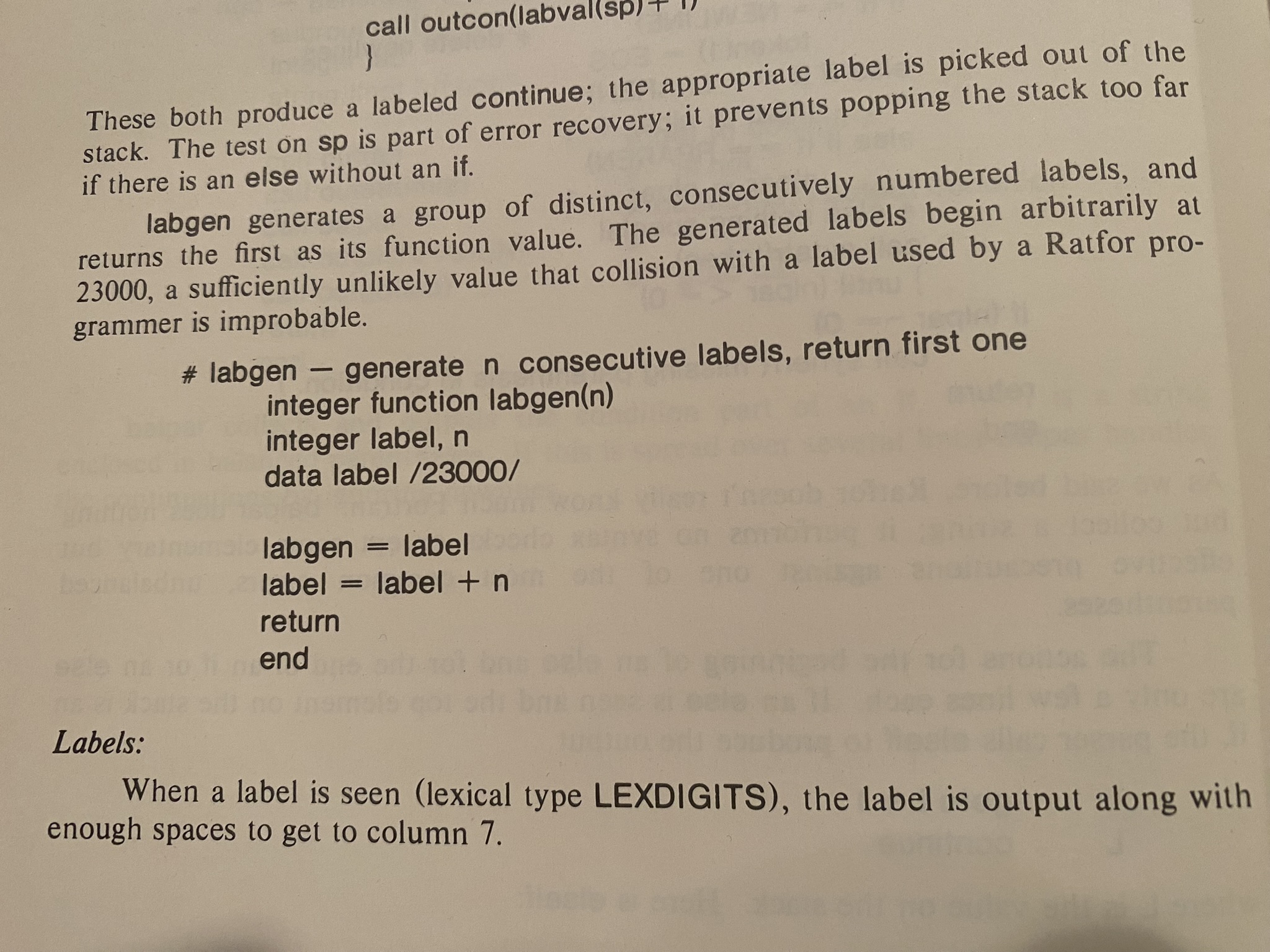
I found it amusing when I recently was working on some ratfor code soon after revising my SDCL (Structured DCL preprocessor) and I realized that the reason that the internal goto labels that I generate in SDCL start at 23000 because the original ratfor command started at 23000, which was carried over to the SWTOOLS VOS ratfor and the original sdcl written by Sohail Aslam of the University of Colorado at Colorado Springs, and from there to my version of SDCL.
The SWTOOLS VOS provides three shells, sh, hsh
(which adds a history mechanism), and esh (which adds
ed-style editing of the history). The release notes state
that the shells need the privileges DETACH and CMEXEC, but
under VMS 5.5-2 it turns out that they need the GRPNAM privilege
as well.
Well, it's my first program using SWTOOLS VOS this time around.
So, I finished by first program using SWTOOLS. It is a simple directory lister, called l, that interprets all its arguments as as file specifications to search for using normal RMS wildcards, or used *.* if not arguments are specified. It only returns the files with the highest version number, does not include the device, directory, or version number in the output, and converts the filenames to lower case. It should only be used to list files in the current directory. I needed it because I do things like
and I don't want any version numbers to end up in the names of the archive members, and so on.
Rafor is much better than Fortran 77. And Fortran has even more footguns than C when it comes to using separately compiled functions and subroutines, with no notices that I'd passed things with the wrong type until I actually ran the program and got a register dump because of an access violation.
I was not able to include things from
SYS$LIBRARY:FORSYSDEF.TLB using the Fortran INCLUDE
statement in ratfor, since it has its own include keyword , so I
separated that part of the program into its own Fortran source file.
Because that file wasn't run through ratfor I couldn't use the
standard macro definitions, like STDERR, so when I wanted to output
the filesnames, I just wrote a ratfor subroutine that would print them
and called that from the Fortran subroutine. A little clunky, but it
worked.
Annoying, the fc command (which compiles *.f files to
objects) doesn't work when run under mmk, so I had to write
a command procedure dommk that does mmk/noact/out=tmp.com
and @tmp.com to do the build. (I think this was somehow due to
having multiple levels of subprocesses: mmk's and
rc's.)
Anyway, the program ended up 48 lines of ratfor in three files and 84 lines of Fortran. The C program I started with was 170 lines (in one file), but doesn't work with the SWTOOLS shell's notions of I/O redirection.
Last edited: 2024-07-19 12:44:44 EDT
Today I fixed a 41 year old bug in the SWTOOLS VOS sedit commmand!
At work part of my job is to maintain an emulated VAX/VMS 5.5-2 system for one of our clients. I have been using the SWTOOLS Virtual Operating System recently (Unix style I/O redirection! And pipes!), and whenever I tried to use the sedit command it would die with an integer overflow:
%SYSTEM-F-INTOVF, arithmetic trap, integer overflow at PC=0002D6C9, PSL=03C00022

Improperly handled condition, image exit forced.

      Signal arguments              Stack contents

      Number = 00000003                00000000
      Name   = 0000047C                08000020
               0002D6C9                000017C4
               03C00022                7FEF9784
                                       0002D479
                                       00001DC0
                                       00000000
                                       08000020
                                       7FEF97B4
                                       7FEF979C

      Register dump

      R0 = 0000000E  R1 = 0002BAF4  R2 = 0000000F  R3 = 7FF6A489
      R4 = 7FFE5E0C  R5 = 7FFE5EBC  R6 = 00000000  R7 = 00000001
      R8 = 7FFECA4C  R9 = 7FFECC54  R10= 7FFED7D4  R11= 00001E94
      AP = 7FEF9738  FP = 7FEF96F8  SP = 7FEF976C  PC = 0002D6C9
      PSL= 03C00022
Drats, drats, drats.
I use sed frequently on Unix, and it would be nice to have the SWTOOLS equivalent on VAX/VMS. What could I do but set the Wayback Machine for 1986 and dive in!
Those following along may want to read my post about how the Software Tools VOS organized its source files first.
The SWTOOLS VOS was written in Ratfor, which added structured control structures and other niceties such as macros, include files, and string constants to pre-1977 Fortran. I suspect that even as late as 1986, when the version of the SWTOOLS VOS was released, lots of installations were on machines that only *had* pre-1977 Fortran compilers.
Here's an example of Ratfor source, from sedit.r:
# copyf - copy file name to opened file fdo
subroutine copyf(name, fdo)
integer name(ARB)
integer fdo
integer fdi, i
integer open
character c, namstr(MAXLINE)
character getch

for (i=1; name(i)!=EOS; i=i+1)               #get name into string
     namstr(i) = name(i)
namstr(i) = EOS
fdi = open(namstr, READ)
if (fdi == ERR)
   call cant(namstr)
while (getch(c, fdi) != EOF)
   call putch(c, fdo)
call close(fdi)
return
end
You can tell it was inspired by Unix.
Here's the corresponding generated Fortran
      SUBROUTINE COPYF(NAME, FDO)
      INTEGER NAME(2048)
      INTEGER FDO
      INTEGER FDI, I
      INTEGER OPEN
      LOGICAL*1 C, NAMSTR(2048)
      LOGICAL*1 GETCH
      I=1
23190 IF (.NOT.(NAME(I).NE.0))GOTO 23192
      NAMSTR(I) = NAME(I)
23191 I=I+1
      GOTO 23190
23192 CONTINUE
      NAMSTR(I) = 0
      FDI = OPEN(NAMSTR, 1)
      IF (.NOT.(FDI .EQ. -3))GOTO 23193
      CALL CANT(NAMSTR)
23193 CONTINUE
23195 IF (.NOT.(GETCH(C, FDI) .NE. -1))GOTO 23196
      CALL PUTCH(C, FDO)
      GOTO 23195
23196 CONTINUE
      CALL CLOSE(FDI)
      RETURN
      END
Notice that the character variables got changed to LOGICAL*1?
That turns out to be 1 byte variable...
So, to start, I needed to run sedit in the debugger. That's easy enough:
% cd ~tmp
% mkdir sedit
% cd sedit
/dua1/software/swtools/tmp/sedit/
% get -r1.5 ~src/sedit.tcs >sedit.w
% ar xv sedit.w
patdef
csedit
sedit.r
sedit.fmt
% rc -d -v sedit.r
~bin/ratp1.exe sedit.r | ~bin/ratp2.exe >sedit.f
~bin/fc.exe -v -d sedit.f
for/noop/object=sedit.obj/nolist/check=all/debug=all sedit.f
~bin/ld.exe -v -d sedit.obj
$ link/exe=dua1:[software.swtools.tmp.sedit]sedit.exe/debug/nomap sys$input/opti
ons
dua1:[software.swtools.tmp.sedit]sedit.obj,-
dua1:[software.swtools.bin]rlib.olb/incl=(tools$main),-
dua1:[software.swtools.bin]rlib.olb/libr
% echo Hello | sedit "s/H/J/"
%DEBUG-I-CANTCREATEMAIN, could not create the debugger subprocess
%DEBUG-I-CANTCREATEMAIN, could not create the debugger subprocess
-LIB-F-NOCLI, no CLI present to perform function
-LIB-F-NOCLI, no CLI present to perform function
%DEBUG-I-SHRPRC, debugger will share user process
%DEBUG-I-SHRPRC, debugger will share user process

         VAX DEBUG Version V5.5-023

%DEBUG-I-INITIAL, language is MACRO, module set to TOOLS$MAIN

DBG> go
%DEBUG-I-DYNMODSET, setting module DOCOM
%SYSTEM-F-INTOVF, arithmetic trap, integer overflow at PC=0002E345, PSL=03C00022
break on unhandled exception preceding DOCOM\%LINE 20
    20:       IF (.NOT.(CMD .EQ. 97))GOTO 23162
DBG> go
%DEBUG-I-DYNMODSET, setting module DOCOM
%SYSTEM-F-INTOVF, arithmetic trap, integer overflow at PC=0002E345, PSL=03C00022
break on unhandled exception preceding DOCOM\%LINE 20
    20:       IF (.NOT.(CMD .EQ. 97))GOTO 23162
DBG>
I guess we'll need a little more context.
DBG> type docom\1:20
module DOCOM
     1:       SUBROUTINE DOCOM(I, LINBUF, LINENO)
     2:       LOGICAL*1 LINBUF(2048)
     3:       INTEGER I, LINENO
     4:       LOGICAL*1 CMD
     5:       INTEGER K1, K2
     6:       INTEGER AQ
     7:       INTEGER IQ
     8:       INTEGER BUF
     9:       INTEGER LASTBF
    10:       INTEGER NLINES
    11:       INTEGER LINE1
    12:       INTEGER LINE2
    13:       INTEGER PAT
    14:       INTEGER PREVC
    15:       INTEGER NFLAG
    16:       INTEGER QFLAG
    17:       COMMON /CSEDIT/ AQ, IQ, BUF(20000), LASTBF, NLINES, LINE1, LINE2,
    18:      *PAT(132), PREVC, NFLAG, QFLAG
    19:       CMD = BUF(I+5)
    20:       IF (.NOT.(CMD .EQ. 97))GOTO 23162
DBG>
Ok, line 19 is where the the integer overflow happened. BUF is an
array of INTEGERs, while CMD is a LOGICAL*1, which, if I
look at the sedit.r source:
# docom - execute a single command at buf(i) on linbuf and lineno
   subroutine docom(i, linbuf, lineno)
   character linbuf(MAXLINE)
   integer i, lineno
   character cmd
   integer k1, k2
   include csedit

   cmd = buf(i+COMMAND)
   …
started as a character and got translated to a LOGICAL*1, the
one byte logical data type. Normally that's ok, because we're just working
with ASCII, so any character should fit in in one byte. Lets take a look:
Oh dear. That's hexadecimal 173, which is decimal 371. No wonder we got an arithmetic trap, integer overflow.
If I look for occurrences of buf in sedit.r (using emacs
18.55.105) I see lots of lines like where buf is passed to
subroutine addint, which is not documented in the manual pages,
unfortunately, but is in the runtime library RLIB.OLB. On
VAX/VMS the source for that is in ~vms/rlib.w:
# AddInt      Put int into intara if it fits, increment j
# works with an array of integers

integer function addint( int, intara, j, maxsiz)

integer         int, j, maxsiz, intara(maxsiz)

if( j > maxsiz )
  return(NO)

intara(j) = int
j = j + 1

return(YES)
end
Yes, that's just putting an integer in an array and incrementing the variable that stores where the next one goes.
Ok, lets look at all the
addint calls.
Lines matching "\\baddint\\b(" in buffer sedit.r.
176:    if (addint(int, str, j, maxsiz) == NO)
223:   status = addint(nlines, buf, lastbf, MAXBUF)
224:   status = addint(0, buf, lastbf, MAXBUF)
225:   status = addint(line1, buf, lastbf, MAXBUF)
226:   status = addint(line2, buf, lastbf, MAXBUF)
229:      status = addint(NOTSTATE, buf, lastbf, MAXBUF)
235:      status = addint(OKSTATE, buf, lastbf, MAXBUF)
236:   status = addint(com, buf, lastbf, MAXBUF)
238:      status = addint(0, buf, lastbf, MAXBUF)
242:      status = addint(0, buf, lastbf, MAXBUF)
248:      status = addint(0, buf, lastbf, MAXBUF)
256:      status = addint(0, buf, lastbf, MAXBUF)
260:         status = addint(EOS, buf, lastbf, MAXBUF)
269:         status = addint(gflag, buf, lastbf, MAXBUF)
270:         status = addint(pflag, buf, lastbf, MAXBUF)
271:         status = addint(lastbf+2, buf, lastbf, MAXBUF)
273:         status = addint(lastbf+j+1, buf, lastbf, MAXBUF)
276:         status = addint(EOS, buf, lastbf, MAXBUF)
286:      status = addint(fdw, buf, lastbf, MAXBUF)
452:   dotext = addint(EOS, buf, lastbf, MAXBUF)
695:    if (addint(p(i), str, j, maxsiz) == NO)
713:    if (addint( s(i), str, j, maxsiz) == NO)
Some of the things they're adding to buf are clearly integers
(nlines, and probably NOTSTATE and OKSTATE), but those
EOS are the SWTOOLS VOS equivalent of the C '\0' that ends a
string, so those particular ones definitely hold characters.
Well, if I want to debug that I'm going to have to rebuild the SWTOOLS
VOS with debugging turned on. Investigating it turns out that I need
to add /DEBUG to the macro and fortran
commands in asmlib.com, asmprm.com, build.com,
and compile.com in ~bin, and then execute
~bin:toolgen.com.
Once that is done I start stepping through various routines.
Eventually I figure out that it buf(19) is the element that ends
up with the 173 hex, and set a watch on it. And indeed it is getting
passed a 173. Sigh.
Doing a SHOW STACK in the VMS Debugger shows that the
addint() call that dies is in the subroutine compil(). Lets
take a look:
DBG> type compil\50:65
module COMPIL
    50:       STATUS = ADDINT(LINE2, BUF, LASTBF, 20000)
    51:       COM = CLOWER(LIN(I))
    52:       IF (.NOT.(COM .EQ. 33))GOTO 23068
    53:       STATUS = ADDINT(1, BUF, LASTBF, 20000)
    54:       I = I+1
    55:       CALL SKIPBL(LIN, I)
    56:       COM = CLOWER(LIN(I))
    57:       GOTO 23069
    58: 23068 CONTINUE
    59:       STATUS = ADDINT(0, BUF, LASTBF, 20000)
    60: 23069 CONTINUE
    61:       STATUS = ADDINT(COM, BUF, LASTBF, 20000)
    62:       IF (.NOT.(COM .EQ. 97 .AND. FD .NE. 0))GOTO 23070
    63:       STATUS = ADDINT(0, BUF, LASTBF, 20000)
    64:       STATUS = DOTEXT(FD)
    65:       GOTO 23071
DBG>
Line 61 is the one that dies. Here addint() is being passed the
variable COM. Lets take a look at the Ratfor source for
its definition:
# compil - "compile" command in lin(i) from file fd, increment i
   subroutine compil(lin, fd)
   character lin(MAXLINE), com
Oh, look, com is a character, that gets translated by
Ratfor to a LOGICAL*1, and it is a byte, while the integers
that get passed in are longwords, which are 32 bytes long… Uh,
doesn't Fortran pass everything by reference? So addint() gets
passed the address of a byte, but interprets it as the address of a
longword, so it picks up 3 extra bytes. For whatever reason, there is
a 1 in the byte right next to the byte for com, so we get (hex,
remember) 173 instead of 73, which is the ASCII for s, which the s
in our sedit "s/H/J/"!
Ok, that should be easy to fix: introduce an integer temporary
variable, assign com to it, and pass it instead.
Here's the VMS diff:
************
File DUA1:[SOFTWARE.SWTOOLS.TMP]SEDIT.R;6
  206      integer comint
  207      integer fd
******
File DUA1:[SOFTWARE.SWTOOLS.TMP]SEDIT.R;1
  206      integer fd
************
************
File DUA1:[SOFTWARE.SWTOOLS.TMP]SEDIT.R;6
  237      comint = com
  238      status = addint(comint, buf, lastbf, MAXBUF)
  239      if (com == APPENDCOM & fd != NO) {
******
File DUA1:[SOFTWARE.SWTOOLS.TMP]SEDIT.R;1
  236      status = addint(com, buf, lastbf, MAXBUF)
  237      if (com == APPENDCOM & fd != NO) {
************

Number of difference sections found: 2
Number of difference records found: 3

DIFFERENCES /IGNORE=()/MERGED=1/OUTPUT=DUA1:[SOFTWARE.SWTOOLS.TMP]SEDIT.DIFF;1-
    DUA1:[SOFTWARE.SWTOOLS.TMP]SEDIT.R;6-
    DUA1:[SOFTWARE.SWTOOLS.TMP]SEDIT.R;1
Recompile, lets see:
That did it!
One of the things I've always found interesting about the LBL Software Tools VOS was how its source files were structured. I'll include here page 10 of the release notes from the release on the DECUS LT86 tape:
                            Release Notes


                        Source File Structure

The  source  code  for  `tool' is contained in a file [...SRC]tool.tcs
(if   the   tool   is   portable   across   operating   systems)    or
[...VMS]tool.tcs  (if  it  is  an VMS-specific tool).  This TCS source
file contains an edit history of all changes made to the source.   The
output  of  the  `get' utility operating on a `.tcs' file results in a
file (tool.w) which is all of the  environment  necessary  to  rebuild
the  tool,  provided  that the VOS is operational.  The tool.w file is
an archive containing:

  1. All of the files "included" by the ratfor source code.
  2. The ratfor source file, tool.r.
  3. The format input for the manual entry, tool.fmt.
  4. And optionally,  any  extra  definition  files  needed  to  build
     alternate versions of the tool (eg. sh => hsh).

As  an  example,  suppose  that  you  wish  to  change  the subroutine
"module" in "tool".  The suggested scenario is as follows:

   $ !Fetch the file tool.tcs from the appropriate directory in the container
   $ !file on tape into st_src
   $ hsh
   % get ~src/tool.tcs tool.w
   % ar xv tool.w
   % ar xv tool.r module
   % ed module
   (make changes and write file)
   % ar uv tool.r module
   % rc -v tool.r
   % (test out new tool.  repeat last three steps until satisfied.)
   % ed tool.fmt
   (modify writeup to reflect changes)
   % ar uv tool.w tool.r tool.fmt
   % cp tool.exe ~usr/tool.exe
   % delta tool.w ~src/tool.tcs
   (Identify in the comments the reason for the changes,
   and which modules changed.)
   % format tool.fmt >tool
   % ar uv ~man/s1 tool
   % asam <~man/s1 | sort >~man/i1

Placing tool.exe in ~usr  causes  the  shell  to  find  your  modified
version  of  "tool"  rather  than  the  distributed one.  The last two
commands  above  cause  the  manual  entry  for  `tool'  to  correctly
correspond to the utility itself.


                                 -10-
(It should be % get ~src/tool.tcs >tool.w with a “>”
before tool.w in the above procedure. Otherwise the contents
are echoed to the terminal instead of being written to tool.w.)
So, all the source files (source code and documentation) are stored
in an archive file, which contains another archive file that has just
the ratfor source, from which you extract the modules you want to work
on, and at the end update the archives in the reverse order! This
made organizing all the source much simpler, especially considering
some of the porting targets for this software didn't have hierarchical
directory structures, only flat directories. So when moving around
parts of the system, like when you were preparing the distribution,
you normally only dealt with the top level archives, the .TCS
files, and only worked directly with the files that were contained
within that archive and its child archives if you had to make a change
to the source files. Very clever!

(Source 1)

(Source 2)
When I was in college in the 1980s the school I was at used Digital Equipment Corporation VAXes running VMS, and didn't have any Unix machines. I was quite interested in Unix and the Unix philosophy, but was frustrated by my lack of access to Unix machines. However, Brian W. Kernighan and P. J. Plauger wrote a couple of books about writing tools in the Unix style: Software Tools was in published in 1976 and used Fortran as its portable implementation language, while Software Tools in Pascal was published in 1981 and used Pascal.
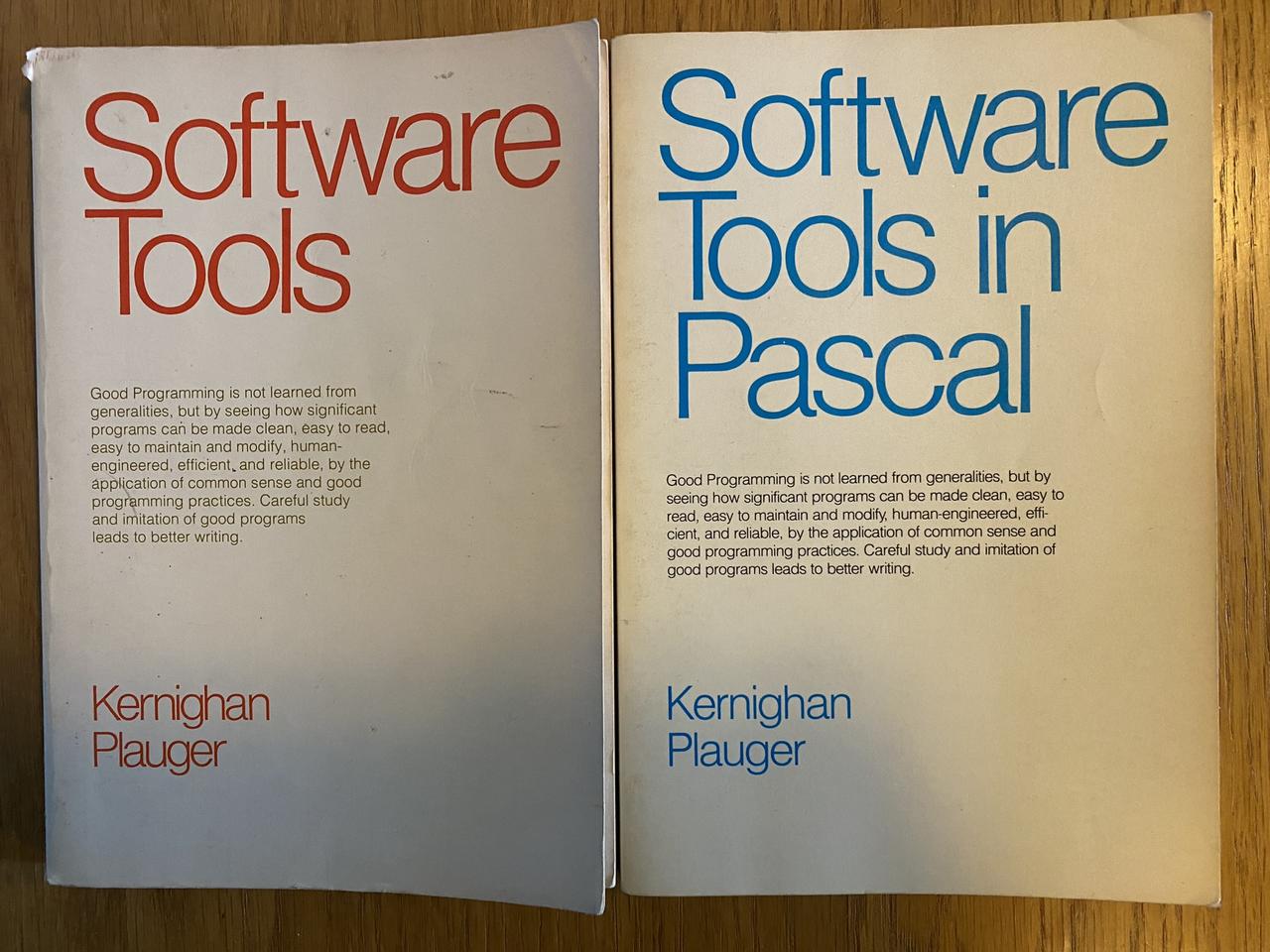
Here is a quote repeated on each book's cover:
Good Programming is not learned from generalities, but by seeing how significant programs can be made clean, easy to read, easy to maintain and modify, human-engineered, efficient, and reliable, by the application of common sense and good programming practices. Careful study and imitation of good programs leads to better writing.
Both books worked through writing software tools that were simpler but still useful versions of many of the standard Unix tools.
I got Software Tools in Pascal because I knew Pascal better than Fortran and worked through implementing each of the programs on the college's VAX, which taught me a lot about programming and was significant influence on me. I later got Software Tools because I wanted to read the section on implementing the ratfor processor which that book used to add additional control structures unavailable in the Fortran of the day.
I was not the only person who was influenced by these books. Deborah K. Scherrer, Dennis E. Hall, and Joseph S. Sventek at Lawrence Berkeley National Laboratory with help from others greatly expanded the set of programs from the book into an entire Virtual Operating System (VOS), and founded the Software Tools Users Group in 1976 to distribute it, eventually leading to ports on over 50 operating systems.
Luckily for me VAX/VMS was one of those operating systems, and the port appeared on various tapes distributed by DECUS, the Digital Equipment Computer Users' Society. Luckily MPL Corporation, where I worked at the time, always got the DECUS tapes and had a Fortran compiler, so I could install it there. I found it a very useful and usable computing environment.
Anyway, I retain a fondness for that software, known variously as LBLTOOLS, LBL SWTOOLS, and SWTOOLS VOS, and have begun using the version from the DECUS VAX Languages & Tools SIG tape from 1986 again on the (emulated) VAX I maintain at work. This gave me the opportunity create a PDF with the documentation for that version, which I'm making available here for the curious.
“I really enjoyed that book. The first computer book I read where I thought my world was larger after reading it.” — C. Paul Bond
Last edited: 2024-10-21 15:59:04 EDT — Updated PDF with slight changes to structure and better bookmarks.
Fantastic Medieval Campaigns (FMC) by Marcia B. is a great retroclone and restatement of Original D&D: it's clearly written, well organized, contains a table of contents for the book and then a table of contents in each section, has a glossary and indices for monsters, spells, and tables, and uses the color backgrounds of the pages well to make finding the different sections easy. The art is charming and appropriate for a OD&D retroclone, and the layout is clean. It includes a retroclone of Chainmail, which is rare. I like it very much. And the PDF is free! I got the hardback color book and read it and want to run at least two campaigns with it, the first using its Chainmail retroclone, “Chain of Command”, and the next with the d20 based combat system.
But, but, but! The back cover text says “problematize our preconceptions of a text (or even a whole genre)” and mentions “falsehood”. And the contents of the last page of the text, which is labeled “This Page Intentionally Left Blank.”, are certainly not blank, and expresses opinions of D&D that must surely offend many D&D players. I'll quote it here:
Fantastic Medieval Campaigns is a recreation of what is at best a deeply reactionary work of art—if not a fascist one altogether. We recognize now that the authors, as well as some who were in their circle, thought quite badly of women, indigenous people, and others. However, we should let the text speak for itself because it speaks loudly. The book is a guide to fantastic war game campaigns, where the players take on the roles of sword-and-sorcery adventurers seeking greatness. They will begin in the Underworld simply slaying monsters and retrieving treasure in the form of gold, legal tender ready to be exchanged on the open market. As characters accumulate treasure, they acquire superhuman abilities and political power to boot. Heroes, Thaumaturgists, and Bishops emerge from their colonial katabasis conquering land by which to become Lords, Wizards, and Patriarchs. They will establish sanctuaries and, with their vast armies, turn the tide against the forces of evil chaos they have always ‘resisted' thus far. The setting in general is one where might makes right, where the violent extraction of resources is central to the protagonists activity, and where participation in these things is rewarded with not only political power bu the sort of physiological and supernatural power which colonizers and fascists imagined themselves to have. It is a mirror to the desires and fantasies of its original authors, a bunch of white, straight, cissexual men in the Midwest, just as it is a reflection of boys' pulp literature at the height of American culture about crushing one's enemies and driving them before oneself and hearing the lamentations of their women. All in all, this work was not written in a vacuum nor did it spring fully formed from the heads of its creators. You can use this book however you like or even attempt to play it with the mindset of a midcentury American man, but do not delude yourself with regards to its content or to the fantasy which it encodes. That being said, as the author, I offer up this work for analysis, critique, and reflection.
Well, that certainly put the coyote in the chicken house! It is definitely controversial in OSR circles. Honestly, though, I'm not sure that furor was worth following.
I just want to point out that, whatever the author's opinions of D&D, they wrote FMC so they could more easily understand the rules, so they could better play D&D with their friends, and according to a friend of theirs they spent over a year working on it.
Regardless of whether I agree with their views or not, FMC is a well written game and its author should be proud of it. It can be used to run some great games. If you don't agree with the author's views, just ignore them and play the game.

